Build vs. buy: When customizing Dynamics 365 becomes a strategic advantage
Content
Platforms such as Microsoft Dynamics 365 are designed to support a wide range of organizations. They bring together sales, service, operations, and project management capabilities in a unified environment. But no two companies run their business in exactly the same way.
A construction firm coordinating complex tenders, a professional services organization managing global project delivery, or a manufacturing company aligning sales with engineering realities all operate under very different constraints. Their processes evolve over the years, constantly being shaped and influenced by industry requirements and internal requirements.
Standard software provides a strong foundation. Yet organizations often discover that their most critical workflows do not fit perfectly into out-of-the-box functionality. This is where the classic “to-be-or-not-to-be” question emerges:
Should you adapt your processes to the platform or adapt the platform to your business?
The answer lies in thoughtful customization.
Highlights
- Standard software is a starting point, not the finish line
- Thoughtful customization bridges the gap between platform and reality
- Modern customization avoids overengineering
- Extending Dynamics 365 with proMX products unlocks strategic insight
- The real value lies in a balanced approach
Standard setup is often only the beginning
Modern enterprise platforms are intentionally flexible. Microsoft designed Dynamics 365 to allow you to configure the processes without rebuilding entire systems from scratch.
Standard capabilities typically cover core functions that provide an excellent starting point. However, once implementation begins, organizations quickly identify areas where their operational reality goes beyond the standard model.
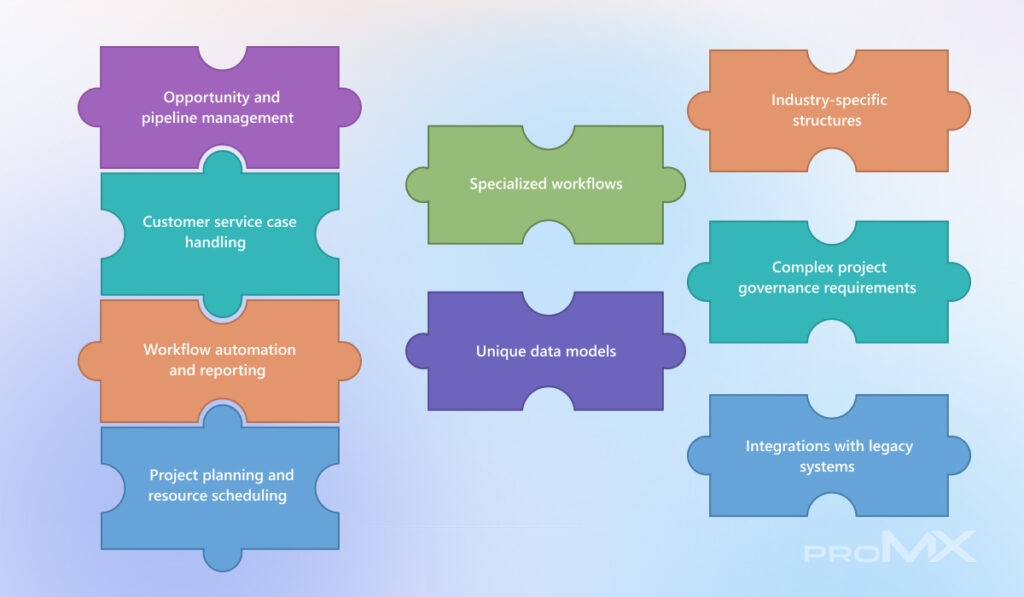
Attempting to force these processes into rigid standard templates can create friction for users and reduce operational efficiency.
The difference between customization and overengineering
The idea of customization sometimes raises concerns. What if you end up creating a “monster” that is difficult to maintain or upgrade? These concerns are valid, especially in environments where customization is approached without clear architectural principles.
The Asana Anatomy of Work Global Index 2023 found that knowledge workers spend 60 % of their time on “work about work”. Those are tasks like searching for files, switching between apps, and sitting in unnecessary meetings. A Gartner Digital Worker Survey also reports that employees waste hours navigating disconnected systems. Instead of saving time, companies are creating digital clutter that slows everything down.
Modern customization within the Dynamics ecosystem works differently from traditional software development. Rather than rebuilding entire systems and hoarding a legion of mismatched tools, you can extend the platform through:
- Low-code and no-code configuration
- Workflow automation
- Data model extensions
- Secure integrations with external systems
When implemented thoughtfully, customization becomes a controlled extension of the platform, not a separate system that must be maintained independently. This approach allows you to preserve the advantages of the standard platform while adapting it to real operational needs.
Extending Dynamics 365 without reinventing it
As mentioned earlier, some organizations initially approach customization as a development project. However, modern platforms allow businesses to extend their capabilities in far more structured ways.
One example is the proMX 365 Productivity Suite. It is a set of applications designed to enhance and expand the functionality of Microsoft Dynamics 365 without disrupting the stability of the standard system:
Note: We are keeping up with the latest progress (including new AI integrations) to bring more intelligence and automation into project management. For more information, check out our blog article: A first look at what’s coming to proMX 365 Productivity Suite.
Turning project data into strategic insight
The proMX 365 Project Portfolio Management application extends project environments with portfolio-level visibility. It allows you to group related projects, track performance across portfolios, and gain a clearer overview of resource utilization and financial outcomes.
Instead of reviewing projects in isolation, leadership teams can evaluate initiatives in context, enabling more informed decisions about priorities, capacity planning, and long-term strategy.
Read more about the Project Portfolio Management capabilities:
- Who, what, and when: The real power of Portfolio Resource Management
- How project management dashboards drive measurable business value
Managing availability across project teams
In project-driven organizations, resource planning is only as reliable as the availability data behind it. The proMX 365 Absence Management application helps organizations manage employee absences directly within Dynamics 365.
Teams can track vacation, sick leave, and other absences in a centralized system connected to project scheduling and resource planning. This ensures that project managers always have an accurate view of team availability, reducing planning conflicts and helping organizations allocate resources more effectively.
You can find more about Absence Management on our blog:
- Smarter absence management across industries with proMX 365 Absence Management
- How to choose absence and leave management software for your business: A step-by-step guide
Strengthening the foundation of the platform
proMX 365 Core for Project Operations is an add-on that extends the project management with Dynamics 365 Project Operations: a box of handy tools that organizations can mix and match as needed to create a solution that is unique to them. The app combines the knowledge from successful transformation projects with recurring feature requests of happy customers and the extensive know-how of our experts at proMX.
Capturing project effort accurately
Reliable project insights depend on accurate time reporting. The proMX 365 Time Tracking application allows employees to record their working time directly within Dynamics 365, ensuring that project effort, billing, and financial reporting remain aligned.
And for the teams working across locations, offices, and project sites, time reporting must be flexible and accessible. This is when proMX 365 Mobile Time Tracking application comes in handy to log working hours directly from their mobile devices.
The real question is not build or buy
The most successful organizations rarely approach the decision as a strict choice between standard functionality and customization. A balanced approach is what always works best.
If you are considering creating a Dynamics 365 environment that suits your business like a glove, contact proMX for advice and support on this journey! Our goal is to empower companies and their employees to work productively and efficiently. And our 25 years of experience as a Microsoft partner provide the best conditions for us to do so.
FAQ
Why isn’t standard Dynamics 365 enough for every organization?
Dynamics 365 is designed to support many industries and use cases, but each organization has unique processes shaped by its industry, history, and operational complexity. Standard features cover core needs, while customization addresses critical workflows that do not fit the default model.
Does customization make Dynamics 365 harder to maintain or upgrade?
When customization follows platform best practices, it remains upgrade-safe and maintainable. Modern Dynamics 365 customization is designed to preserve the benefits of the standard platform while adapting it to real operational needs.
Is it always better to customize?
Not entirely. The most effective approach combines standard functionality with selective customization or extensions. This balance allows organizations to remain flexible, scalable, and aligned with their strategic goals.



RECENT POST
OUR EVENTS